
Shoot Using Time Value Settings
The Broome County Department of Aviation and the Greater Binghamton Airport jointly conducted the 2009 Binghamton Airshow teaming up with David Schultz Airshows LLC. It was on the 4-5th July and I had an opportunity to visit on the 5th July.
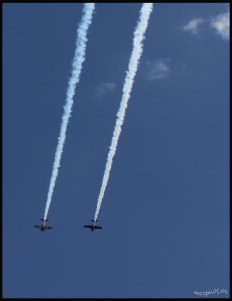 The Firebirds Extreme Aerobatics
(Canon T1i, 18-55mm, ISO 200, 1/1600)
One of the main reasons I attended the show was to be able to take some shots and try out my new Canon T1i. Although the lens that I carried was not the typical lens to shoot flights in motion but thought of trying my best to capture some good photos. I wanted to put my new camera into action. While shooting I came across a pro-photographer (www.jessesimmersphoto.com) using these huge prime lens and with two cameras. I happen to shoot next to him. Fortunately to explore further, he let me use his 24-105mm lens and few tips. His tips were to use manual focus, continuous shoot and zoom at 105mm. So did I follow. Here are few photos of the F-16 fly machine.

USAF F-16 Viper West Demonstration
(Canon T1i, 24-105mm, ISO 200, 1/1600, Shot at 105mm)
The whole shots on the F-16 were done using 24-105mm lens. I was able to get an hang of what I was shooting. The Continuous shoot helped me several times to get some very sharp shots. The following is one of them with very clear details about F-16.
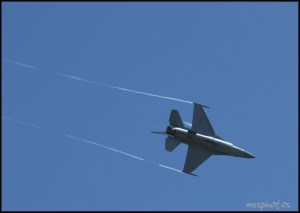
USAF F-16 Viper West Demonstration
(Canon T1i, 24-105mm, ISO 200, 1/1600, Shot at 105mm)
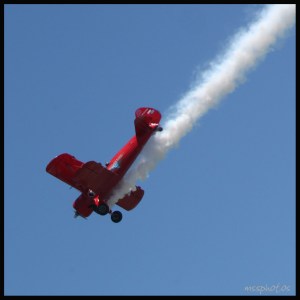 Carol Pilon Third Strike WingWalking
(Canon T1i, 24-105mm, ISO 200, 1/1600, Shot at 105mm)
I wish I had a telephoto lens and would help capturing some sharp, closer images. At the end of the day my experiment and learning did pay off. What I learnt from this shoot is summarized below
1. Shoot Manually
2. Use the Time Value settings with 1/1600
3. Aperture was somewhere between F/4 and F/5.6
4. ISO 200
More photos
Thank you and I hope this was helpful for you too. Please do not forget to leave a comment.
 MSS Photos